Marketing Against the Grain

The Marketer's Guide to Lovable: Build Apps Without Code in Minutes

From idea to live URL before your coffee gets cold.

Unleash the full potential of your business with Breeze — the collection of HubSpot's AI tools

Introduction: Why Marketers Should Care About Lovable

You've got a campaign launching Monday. The developer team is booked until Q2. Your agency wants $15K for a simple landing page. Sound familiar?

Lovable changes this equation. It's an AI platform that transforms your ideas into working web apps through simple conversations. No coding. No waiting. No massive invoices.

Here's what this means for you:

  • Landing pages in 20 minutes instead of 2 weeks
  • Lead gen tools for $25/month instead of $10K in dev costs
  • Campaign microsites you control without begging IT for updates
  • Testing ideas before breakfast rather than waiting for next quarter's budget

But let's be clear about what Lovable is and isn't. It's not magic. You won't build the next Salesforce with it. You will build functional, professional marketing tools that capture leads, showcase products, and drive conversions. The kind of tools you need every day but never have budget or time to create.

This guide assumes zero technical knowledge. You don't need to know what an API is or how databases work. You need to know what you want to build and be able to describe it clearly. That's it.

We'll cover everything from your first project to deploying live campaigns. You'll learn the exact prompts that work, the mistakes that waste credits, and the shortcuts that will save you hours. Most importantly, you'll learn when Lovable is the right tool and when you genuinely need a developer.

By the end of this guide, you'll be able to build 80% of your marketing tech needs yourself. The other 20%? You'll know exactly when and why to bring in help.

Let's build something.

Build Your First Marketing App in 10 Minutes with Lovable

Minute 1-2: Setup

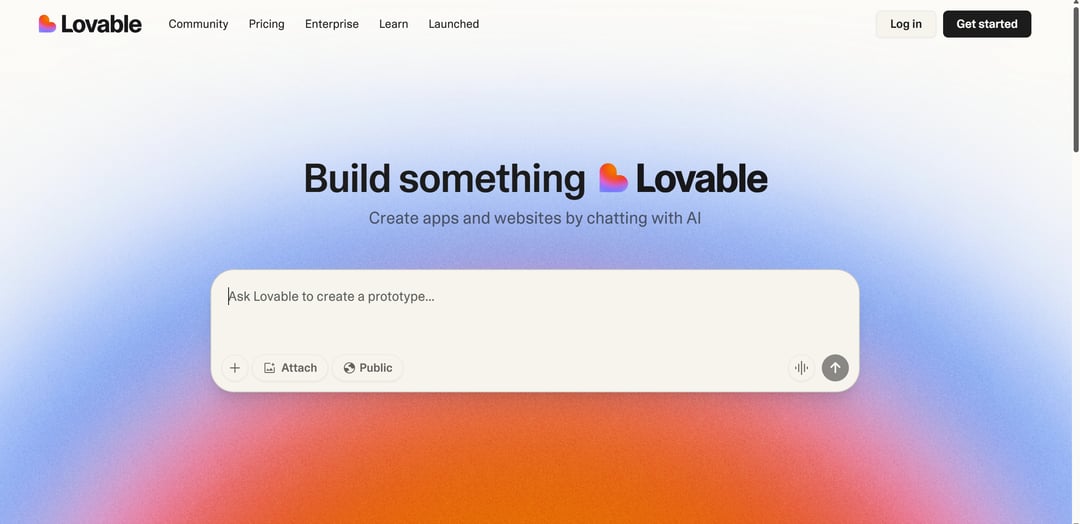
Go to lovable.dev and sign up. You'll see a prompt box. That's it—you're ready.

Before typing anything, know this: You get 5 free credits daily. Each message uses 1+ credits. Don't waste them.

Minute 3-4: Your First Prompt

Copy and paste this exact prompt (modify the bracketed parts). Then, hit enter and watch Lovable build your page in real-time.

Pro-Tip: Use ChatGPT to answer basic questions to save on Lovable credits.

Create a landing page for [your product/service]. Include: A compelling headline about [main benefit], three bullet points highlighting key features, an email signup form with name and email fields, and a call-to-action button that says [your CTA text]. Use a modern, clean design with [your brand color] as the primary color.

Create a landing page for an email marketing course. Include: A compelling headline about getting more opens and clicks, three bullet points highlighting key features, an email signup form with name and email fields, and a call-to-action button that says 'Get Early Access'. Use a modern, clean design with purple as the primary color.

Create apps and websites by chatting with Lovable

Plus, get $25 off with the promo code MATGPOD25.

Minute 5-7: Quick Refinements

Your page exists but needs tweaks. Use these follow-up prompts:

  • "Make the headline bigger and more impactful"
  • "Add social proof with '500+ marketers enrolled'"
  • "Include a testimonial section with 3 placeholder reviews"
  • "Make it mobile-responsive"

Each refinement uses credits, so be specific. Don't say "make it better"—say exactly what you want. Remember to use other AI tools such as ChatGPT to optimize your prompts before inputting them into Lovable.

Take a look at the following example prompts for refinements. Remember to customize them to fit your specific requests.

Add a countdown timer showing exactly '48 hours, 23 minutes' that counts down in real-time, positioned directly above the email form with red text for urgency

Insert a row of exactly 3 trust badges (256-bit SSL, 30-day guarantee, 5000+ customers) centered below the main CTA button, each badge 80px wide with gray borders

Make the email signup form stick to the bottom of mobile screens when users scroll past 50% of the page, with a semi-transparent white background

Add 3 testimonial cards with placeholder data: customer name, company, headshot image, 5-star rating, and a 2-sentence review about specific results they achieved

Create an exit-intent modal that triggers when the mouse moves toward the browser close button, displaying 'Wait! Get 10% off' as the headline and a single email input field

Minute 8-9: Test and Publish

Click the preview button. Test your form (it won't actually send emails yet—that requires Supabase setup, covered in advanced guides).

Happy with it? Click "Share" to get a live URL. Your landing page is now online.

Minute 10: Save Your Work

Three critical actions:

  1. Pin this version in version history (your safety net)
  2. Add project notes describing what this is for
  3. Screenshot your creation for future reference

What You Just Built

In 10 minutes, you created what typically takes:

  • 2-3 hours with traditional website builders
  • 2-3 days waiting for a developer
  • $500-2,000 from an agency

It's not perfect. It's not complex. But it works, it's live, and you own it.

Lovable Landing Page

Next Steps (When You're Ready)

  • Connect Supabase for real form submissions
  • Add Google Analytics tracking
  • Set up custom domain

  • A/B test different headlines
  • Add urgency elements (countdown timers)
  • Include exit-intent popups

  • Being too vague: "Make a nice landing page" won't work
  • Trying to build everything at once: Start simple, iterate
  • Fighting the AI: If something fails 3 times, try a different approach
  • Ignoring version history: Always pin working versions

Powerful AI, effortlessly simple

Unleash the full potential of your business with Breeze — the collection of HubSpot's AI tools, seamlessly integrated throughout the entire customer platform.