One Brief, 100 Assets: The Smart Prompt AI Workflow System

Three powerful workflows to build professional-looking pictures and videos, including an Image Prompt Generator, a Video Prompt generator, and an AI Photoshoot Generator, all within one platform. Created by AI Creative Pro Rory Flynn.

Explore HubSpot's AI-Powered Marketing Software, designed to help you attract, convert, and engage high-intent visitors.

Image Prompt Generator

Type in your image preferences, create an AI-optimized prompt, and generate several image options from multiple AI tools.

AI Image Generator

1. Duplicate the workflow to your files.

Weavy Workflow Explanation

2. Edit the "User Prompt" with specific instructions on the kind of image you want to generate. Then, press "Run Model" to generate your prompt.

Weavy Workflow Explanation

3. Once you're satisfied with the prompt, press "Run Model" on your chosen AI image tool.

Weavy Workflow Explanation

Video Prompt Generator

Type in your video idea, receive an AI-optimized prompt, and generate several video options from multiple tools.

Video Prompt Generator

1. Duplicate the workflow to your files.

Weavy Workflow Explanation

2. Edit the "Your Idea" with the kind of video you want to generate. Then, press "Run Model" to generate your prompt.

Weavy Workflow Explanation

3. Once you're satisfied with the prompt, press "Run Model" on your chosen AI video tool.

Weavy Workflow Explanation

AI Photoshoot Generator

Upload images of clothing, describe the preferred model type, and generate a series of photos at different angles, exactly like a photoshoot.

AI Photoshoot Generator

1. Duplicate the workflow to your files.

Untitled design (100)

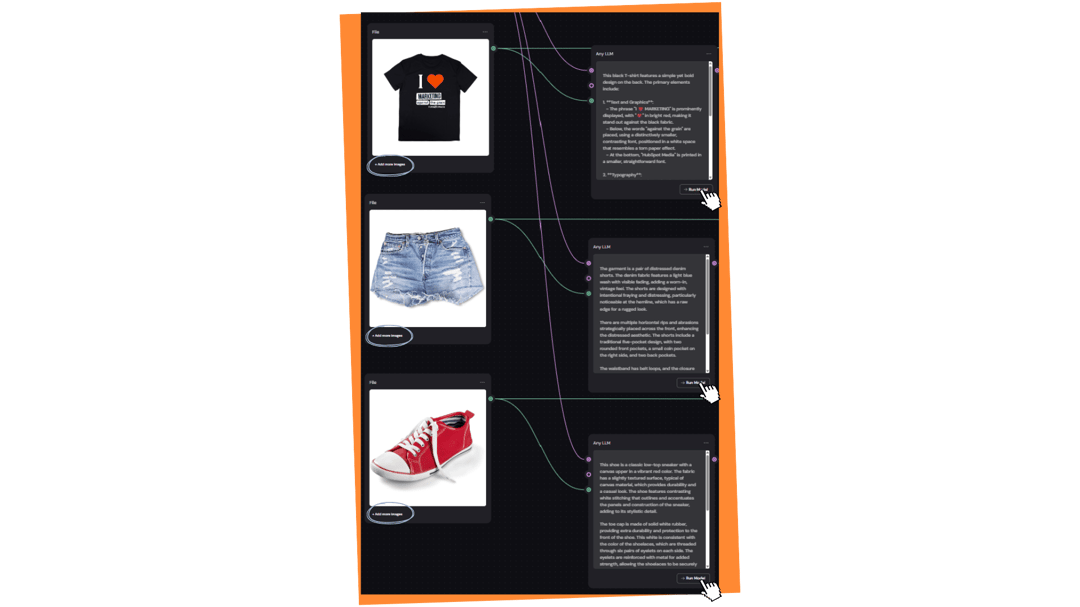
2. Press "Add more images" and upload the top, bottom, and shoes you want modeled. Then, press "Run Model."

Weavy Workflow Explanation

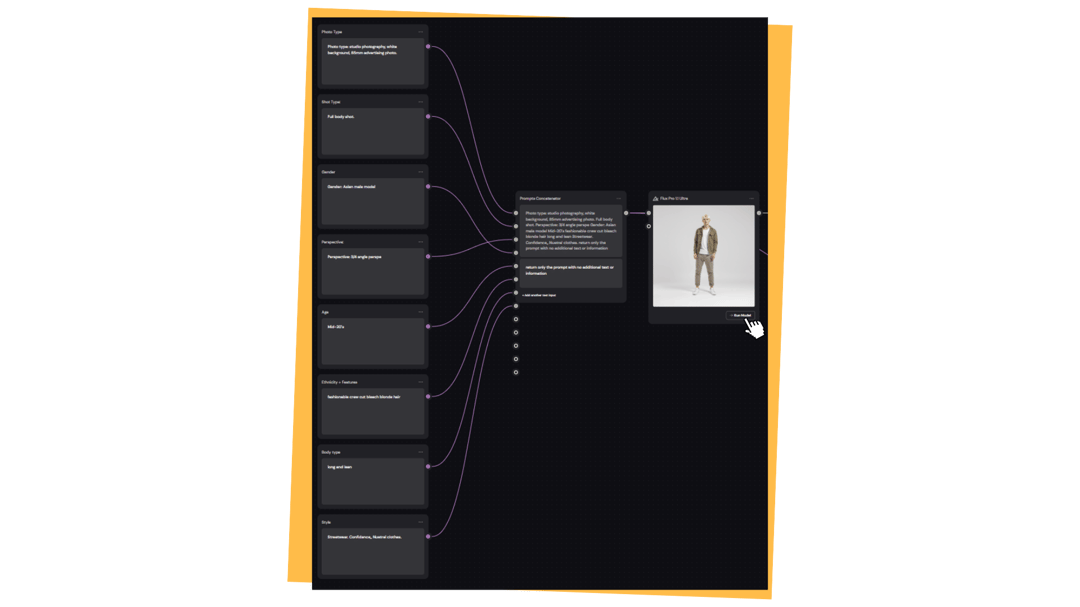
3. Describe the characteristics you want your model and photo to have, such as gender and age. Then, press "Run Model."

Weavy Workflow Explanation

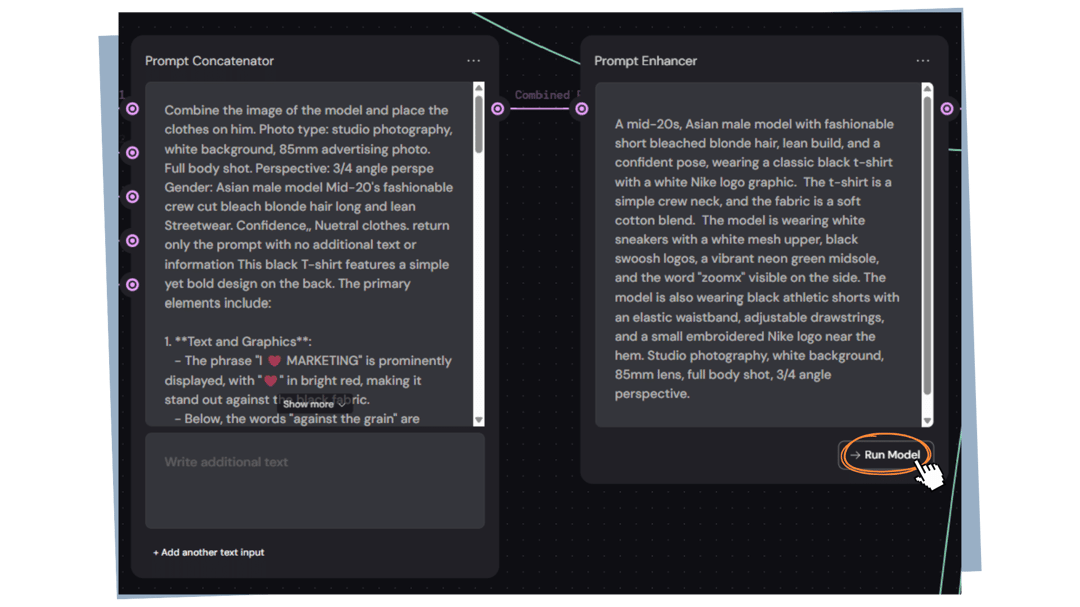
4. The Prompt Concatenator combines your model and clothing prompts into one. Press "Run Model" on the Prompt Enhancer to optimize it.

Weavy Workflow Explanation

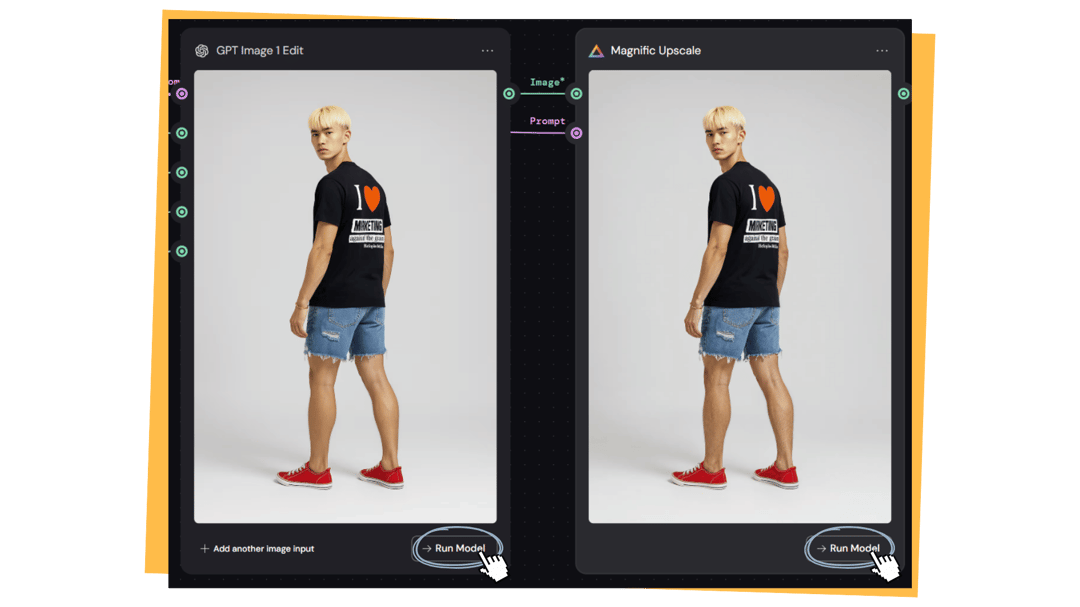
5. Press "Run Model" twice to generate your model with your clothes.

Weavy Workflow Explanation

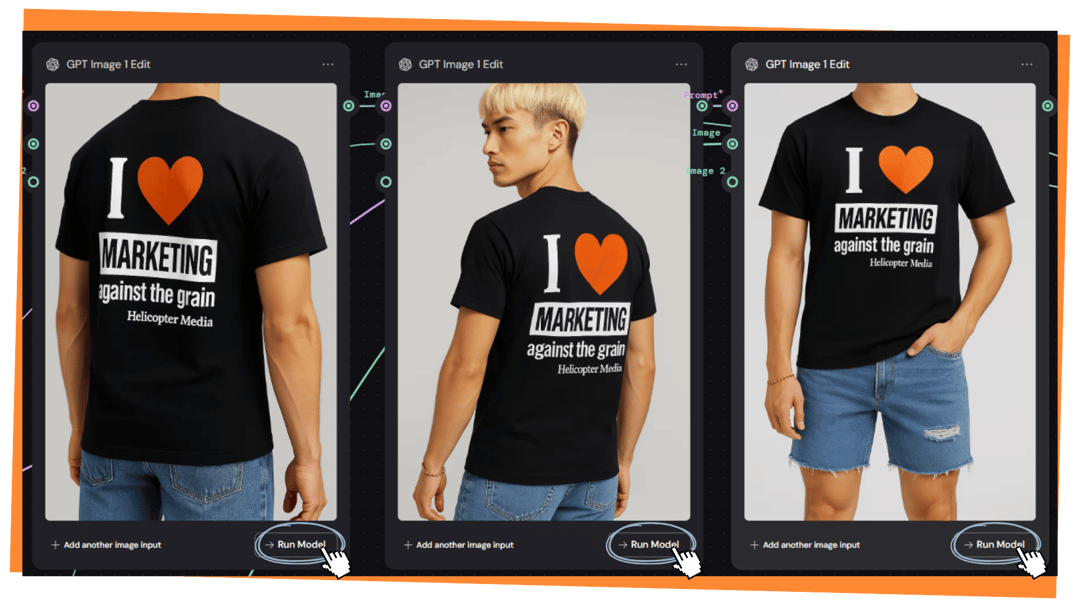
6. On the right side of the workflow, you can generate more photos at different angles.

Weavy Workflow Explanation
Note: Double check your prompts for any information lost or altered along the way. In this example, one prompt changed "HubSpot Media" to "Helicopter Media."

AI-Powered Marketing Software

Marketing software that helps you attract, convert, and engage high-intent visitors — powered by HubSpot’s AI.